
Download PDFMate eBook Converter – PDF to EPUB, PDF to DOC, eBook converter, PDF to text, convert PDF to image, PDF to HTML, PDF to SWF, batch conversion, reverse conversion
Overview
PDFMate eBook Converter is a productivity-focused mobile application designed to streamline the process of converting PDF documents into multiple alternative formats. Its primary purpose is to empower users with the ability to transform static PDF files into editable or readable formats such as EPUB, DOC, TEXT, IMAGE, HTML, and SWF. This functionality addresses a common challenge faced by students, professionals, and content creators who need to repurpose PDFs for reading on e-readers, editing in word processors, or integrating into digital presentations. The app targets individuals seeking a reliable, on-the-go solution for document format conversion without relying on desktop software.
By enabling quick and direct conversions from a smartphone or tablet, PDFMate eBook Converter enhances workflow efficiency for users managing academic papers, reports, or digital books. The app supports both forward and reverse conversion, allowing users to convert non-PDF files into PDF format as well. This dual functionality makes it a versatile utility for document management across different platforms and devices. Although the developer did not provide additional technical details about the app’s background or development history, its consistent categorization under productivity tools suggests a focus on practical, real-world utility.
Given the growing demand for mobile document processing, PDFMate eBook Converter occupies a niche in the app ecosystem by offering format flexibility and batch processing capabilities on Android. Its presence supports users who prioritize convenience and speed in handling digital content, particularly in educational and professional environments where document adaptability is key.
Key Features & Functionality
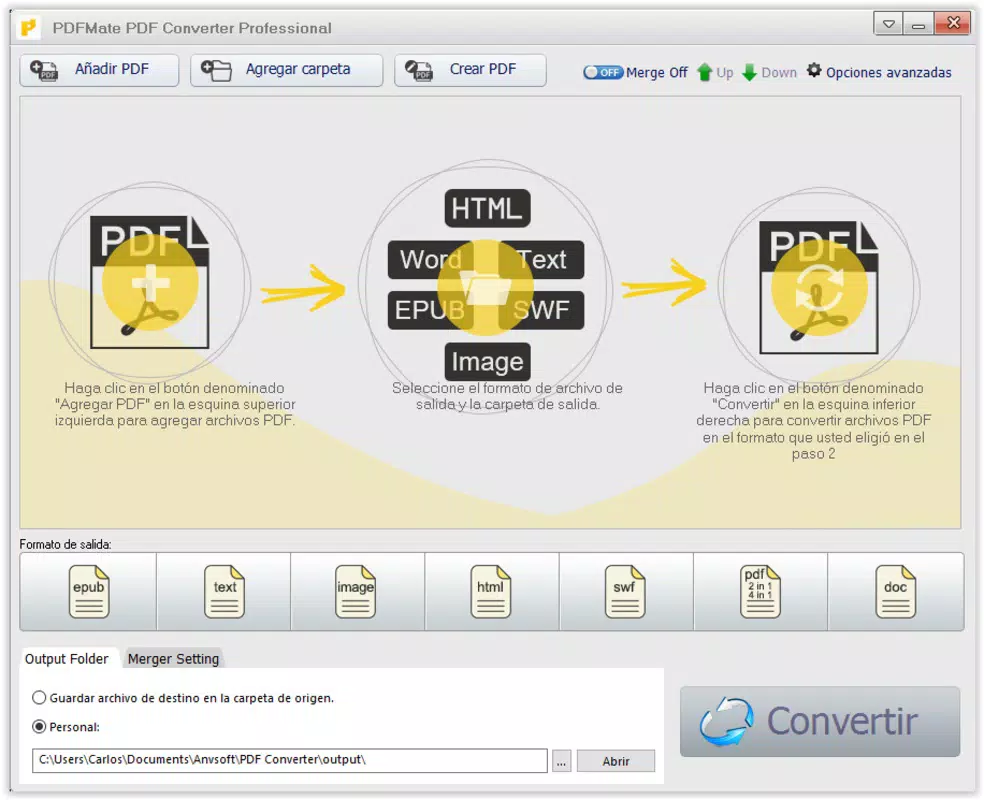
- Multiple Format Support: The app supports conversion to EPUB, DOC, TEXT, IMAGE, HTML, and SWF formats, offering users flexibility based on their intended use—whether for e-reading, editing, archiving, or web publishing.
- User-Friendly Interface: With a clean, intuitive layout, the main screen displays all available output formats clearly, enabling users to select and initiate conversions with minimal effort.
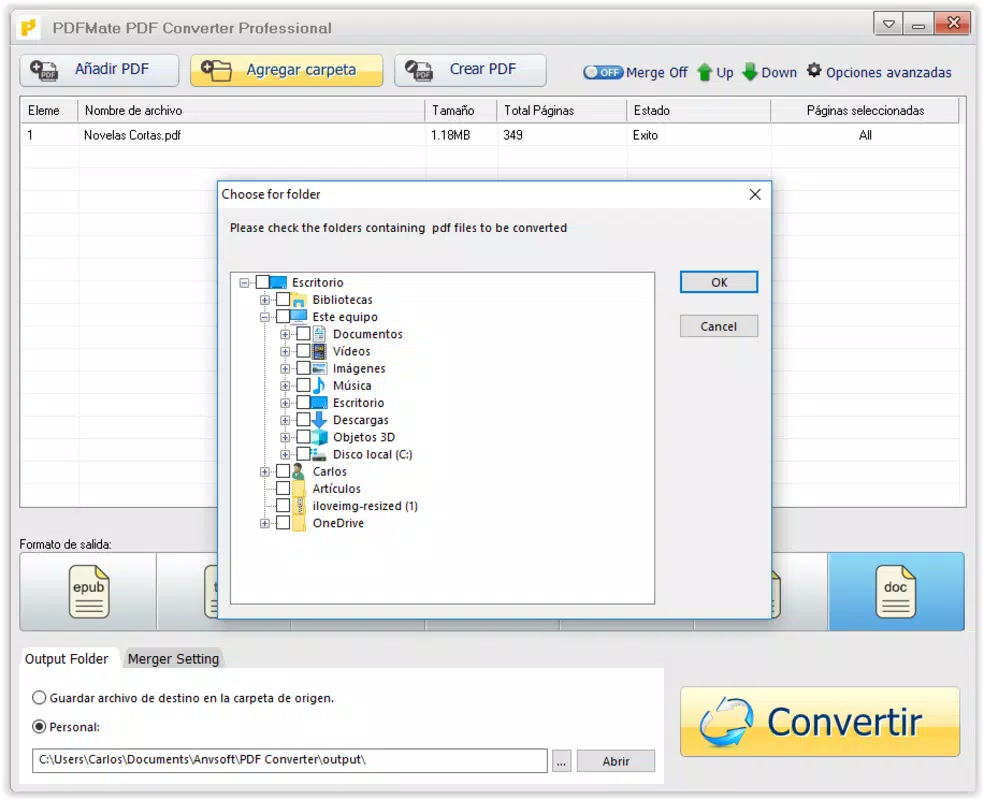
- Batch Conversion Capability: Users can select multiple PDF files at once for simultaneous conversion, significantly reducing time and effort when processing large volumes of documents.
- Reverse Conversion Function: In addition to converting PDFs to other formats, the app allows users to convert various file types back into PDF format, enhancing its utility as a two-way document processor.
- Trial Version Limitations: The trial version restricts conversions to the first few pages of each document, which may limit thorough evaluation of the app’s full functionality before purchase.
For example, a student preparing for exams might use the app to convert a lengthy PDF textbook into EPUB format for easier reading on a mobile device. Similarly, a researcher could batch-convert multiple journal articles into DOC format for annotation and reference. The reverse conversion feature is beneficial for professionals who need to standardize document submissions by converting editable files into PDFs for consistency and security.
Interface, UX & Performance
PDFMate eBook Converter features a straightforward interface with a minimalist design that prioritizes usability. The main screen presents conversion options in a clearly labeled format, allowing users to quickly identify and select their desired output. Navigation is linear and predictable, with minimal on-screen clutter, which supports fast task completion. The app’s visual style is functional rather than decorative, focusing on clarity and accessibility.
Users can expect smooth navigation between selection, conversion, and output views. Although the developer did not list formal performance metrics, the app’s ability to handle batch processing suggests optimized background processing. Responsiveness appears consistent across device categories, though specific requirements were not disclosed. Stability during conversion tasks is implied by the app’s long-standing presence in the productivity category since its release in 2019.
Performance may vary depending on device capabilities, particularly when processing large or high-resolution PDFs. However, the app’s lightweight file size of 22.4 MB indicates efficient resource usage. Users should anticipate minimal lag during standard operations, though intensive batch conversions may require more processing time on lower-end devices.
Platform Compatibility & Technical Requirements
PDFMate eBook Converter is available exclusively on the Android platform. It is compatible with Android operating systems, though specific minimum OS version requirements were not listed by the developer. The app has a file size of 22.4 MB, which is relatively compact and suitable for most mobile devices with standard storage capacity.
Users should ensure their device meets general Android compatibility standards to install and run the application. While the developer did not specify exact hardware or software prerequisites, the app’s lightweight footprint suggests broad compatibility across mid-range and high-end Android smartphones and tablets. The latest version of the app is 1.0.1, released on May 10, 2019.
Pros and Cons
Pros
- Supports a wide range of output formats including EPUB, DOC, TEXT, IMAGE, HTML, and SWF.
- Intuitive interface simplifies the conversion process for non-technical users.
- Batch conversion enables efficient processing of multiple documents.
- Reverse conversion allows users to convert files into PDF format.
- Compact file size (22.4 MB) ensures quick installation and minimal storage use.
Cons
- Free trial version limits conversions to the first few pages of each file.
- Specific OS version requirements were not disclosed.
- No information provided about cloud integration or file sharing features.
- Developer did not list detailed performance benchmarks.
- App has not been updated since 2019, raising questions about ongoing support.
FAQ
Is PDFMate eBook Converter free to download?
The app is available for download with a trial version that includes limited functionality. Full access requires a one-time purchase of $19.99.
Can I convert multiple PDF files at once?
Yes, the app supports batch conversion, allowing users to select and convert multiple PDF files simultaneously.
What file formats can I convert PDFs to?
PDFMate eBook Converter supports conversion to EPUB, DOC, TEXT, IMAGE, HTML, and SWF formats.
Does the app work on iOS devices?
Currently, the app is only available for Android. There is no official iOS version available.
Is the app secure for handling sensitive documents?
The developer did not provide specific details about data security or privacy practices. Users should exercise caution when converting confidential files.
Final Thoughts
PDFMate eBook Converter delivers a focused, practical solution for users needing to convert PDFs into various formats on Android. Its support for multiple output types, batch processing, and reverse conversion makes it a valuable tool for students, researchers, and professionals managing digital content. While the trial version’s page limitation may hinder full evaluation, the app’s clean interface and compact size enhance usability.
Despite its lack of recent updates, the app remains functional for basic conversion tasks. For users who prioritize format flexibility and on-device processing, PDFMate eBook Converter offers solid value. However, those seeking ongoing support, modern features, or cloud integration may want to explore alternative options.
Download PDFMate eBook Converter now to transform your PDFs with ease.


